What to Do When Your iPhone Gets Wet
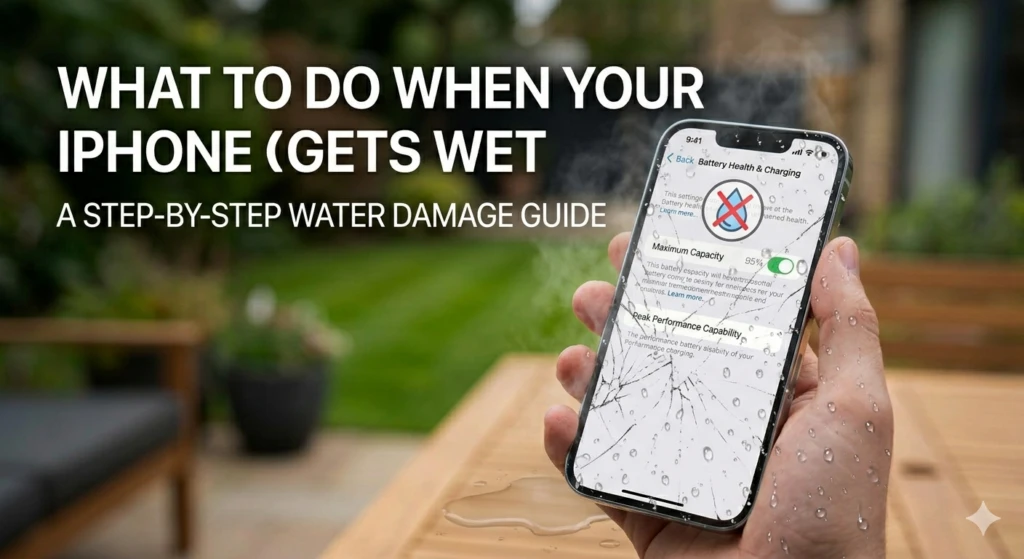
iPhone Liquid Damage
iPhone Got Wet? Here's What to Do
in the First 30 Minutes
Fast action makes the difference between a full recovery and a dead phone
We see liquid-damaged iPhones every single day — dropped in pools, caught in rain, spilled on at a desk. The customers who act quickly almost always have better outcomes. The ones who wait, try to charge it, or put it in rice almost always make things worse. This guide tells you exactly what to do and what not to do in the first 30 minutes.
URGENT Do these immediately
- Power it off immediately — If your iPhone is still on, turn it off right now. Press and hold the side button and volume down, then slide to power off. Water and electricity together cause short circuits that destroy components.
- Remove the case — Cases trap moisture against the body of the phone. Take it off so the iPhone can breathe.
- Remove your SIM card — Use the SIM ejector tool or a paperclip to open the tray and remove the card. This opens a small drainage path and protects your SIM.
- Gently shake out excess water — Hold the iPhone with the Lightning or USB-C port facing down and gently tap it against your palm to dislodge water from the ports.
- Wipe the outside dry — Use a soft lint-free cloth or tissue to remove surface moisture. Do not rub aggressively.
- Leave it in a dry, cool place — Place it upright with the port facing down in a room-temperature environment with airflow. A fan blowing gently nearby helps.
Do NOT do these
Do not put it in rice — this is a myth. Rice does not absorb moisture from inside the device and the starch particles can get into ports and cause more damage. Do not use a hairdryer or put it in the sun — heat accelerates corrosion. Do not charge it — this is the fastest way to short-circuit the logic board permanently.
PART 2 Does water resistance protect your iPhone?
Most iPhones from the iPhone 7 onwards have some level of water resistance — but this is widely misunderstood. Here is what the ratings actually mean:
| Model | Rating | What it means |
|---|---|---|
| iPhone 7 / 8 | IP67 | 1 metre depth for up to 30 minutes |
| iPhone X / XS / 11 Pro | IP68 | 2 metres for up to 30 minutes |
| iPhone 12 / 13 / 14 | IP68 | 6 metres for up to 30 minutes |
| iPhone 15 / 16 | IP68 | 6 metres for up to 30 minutes |
| iPhone SE (all generations) | IP67 | 1 metre for up to 30 minutes |
Important — water resistance degrades over time
IP ratings are tested on new devices under laboratory conditions with fresh water. Real-world water resistance decreases as the phone ages, the seals wear down, and especially after any drops or repairs that disturb the internal seals. Apple's warranty does not cover liquid damage even on IP68 rated phones. Do not rely on water resistance as protection.
PART 3 What happens inside a water-damaged iPhone
Understanding what happens inside helps explain why acting fast matters so much.
When water enters an iPhone, it does not immediately destroy anything. Pure water is actually not very conductive. The problem is that tap water, pool water, and especially saltwater or drinks contain minerals and sugars that are highly conductive. When these contact the logic board's circuits — which carry small electrical signals — they create unintended connections between components.
If the phone is powered off, those connections carry no current and cause no damage. The moment you turn it on, current flows through the water, and components begin to short circuit and burn out.
The second problem is corrosion. Even after the phone dries out, mineral deposits remain on the logic board. Over days and weeks, these deposits cause corrosion that slowly damages connections — which is why phones that seemed fine after water exposure sometimes fail weeks later.
From our technicians
We use ultrasonic cleaning machines to remove mineral deposits from water-damaged logic boards. The process works by submerging the board in a cleaning solution and using high-frequency sound waves to dislodge deposits from every surface, including underneath chips where corrosion hides. Done early, this dramatically improves recovery rates. Done after corrosion has set in, results are less predictable — which is why timing matters.
PART 4 Symptoms of water damage to watch for
Even if your iPhone appears to work after getting wet, watch for these signs in the days that follow:
- No sound or distorted audio — The speakers and microphone are among the first components affected by moisture.
- Screen issues — Dark patches, flickering, or lines on the display often indicate moisture behind the screen.
- Charging problems — If the iPhone refuses to charge or charges intermittently, the charging port or logic board may be corroded.
- Random restarts or shutdowns — Corrosion on the logic board can cause unstable power delivery.
- Face ID or Touch ID not working — These sensors are sensitive and can fail after liquid exposure.
- Camera issues — Fogging, blurry images, or a camera that does not open.
- Phone works fine initially, then fails days later — This is the classic delayed corrosion pattern. Bring it in for cleaning even if it seems okay.
PART 5 Can a water-damaged iPhone be saved?
In most cases — yes, if you act quickly. Our recovery rate for iPhones brought in within 24 hours of water damage is significantly higher than for phones that have been sitting for several days.
The outcome depends on several factors:
- What liquid entered the device — Fresh water is the most recoverable. Saltwater, pool water, and sugary drinks cause more corrosion and are harder to clean.
- How long it was submerged — A brief splash is very different from ten minutes underwater.
- Whether it was powered on after getting wet — Phones that were turned on after water exposure have higher rates of permanent damage.
- How quickly you bring it in — Every hour of delay allows more corrosion to set in.
Our approach
We disassemble the iPhone, inspect every component, and run the logic board through our ultrasonic cleaner. We then test all functions before reassembling. If components are damaged beyond recovery, we will tell you clearly and give you honest options — we do not charge for diagnostics on water damage cases where we cannot fix the device.
FAQ Common questions
Does AppleCare cover water damage?
Standard AppleCare does not cover liquid damage. AppleCare+ covers up to two incidents of accidental damage per year, including liquid damage, with a service fee. If you do not have AppleCare+, you will need to pay for repair out of pocket — either through Apple at full price, or through a repair shop like us at a significantly lower cost.
How can I tell if my iPhone has water damage?
Inside every iPhone is a Liquid Contact Indicator — a small white sticker that turns red when wet. Apple technicians check this during any service visit. If it is red, Apple will not cover the repair under standard warranty.
Should I put my iPhone in rice?
No. This is one of the most persistent myths in tech. Rice does not absorb moisture from inside a sealed device, and fine starch particles can get into ports and connectors. Silica gel packets (the ones that come in shoe boxes) are marginally better, but neither replaces professional cleaning of the internal components.
My iPhone works fine after getting wet. Do I still need to bring it in?
We recommend it, yes. Corrosion develops over time even when the phone initially appears functional. A professional clean removes the mineral deposits before they cause problems. We have seen phones fail weeks after water exposure that were not cleaned immediately.
iPhone got wet? Come in now.
The sooner we see it, the better the outcome. Free diagnostic on all liquid damage cases — no charge if we cannot fix it.
Get a Free Assessment Walk-ins welcome · Chit Lom, Bangkok